Foam
White foam puffs pop up right where the fall lands, on the water or on the ground.
mods / waterfalls
Foam, mist, spray, ripples and a rushing sound wherever falling water hits a pool.
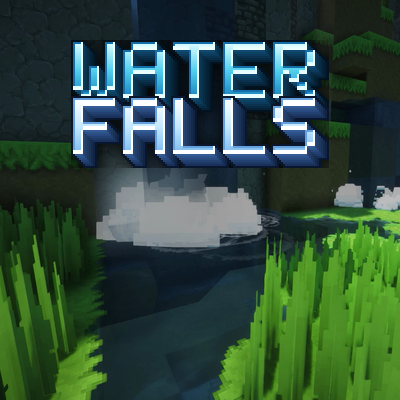
Waterfalls makes every waterfall in Hytale feel alive. Where falling water lands, white foam bubbles up, mist drifts over the pool, droplets splash and ripples spread across the surface. Close by you hear the water rush.
It works on natural waterfalls and on the ones you build. The mod is server-side only: players do not need to install anything. Inspired by the Minecraft mod Particular (the idea only).
/wf admin/waterfallsfxwaterfalls.adminsettings.json in the mod's data folder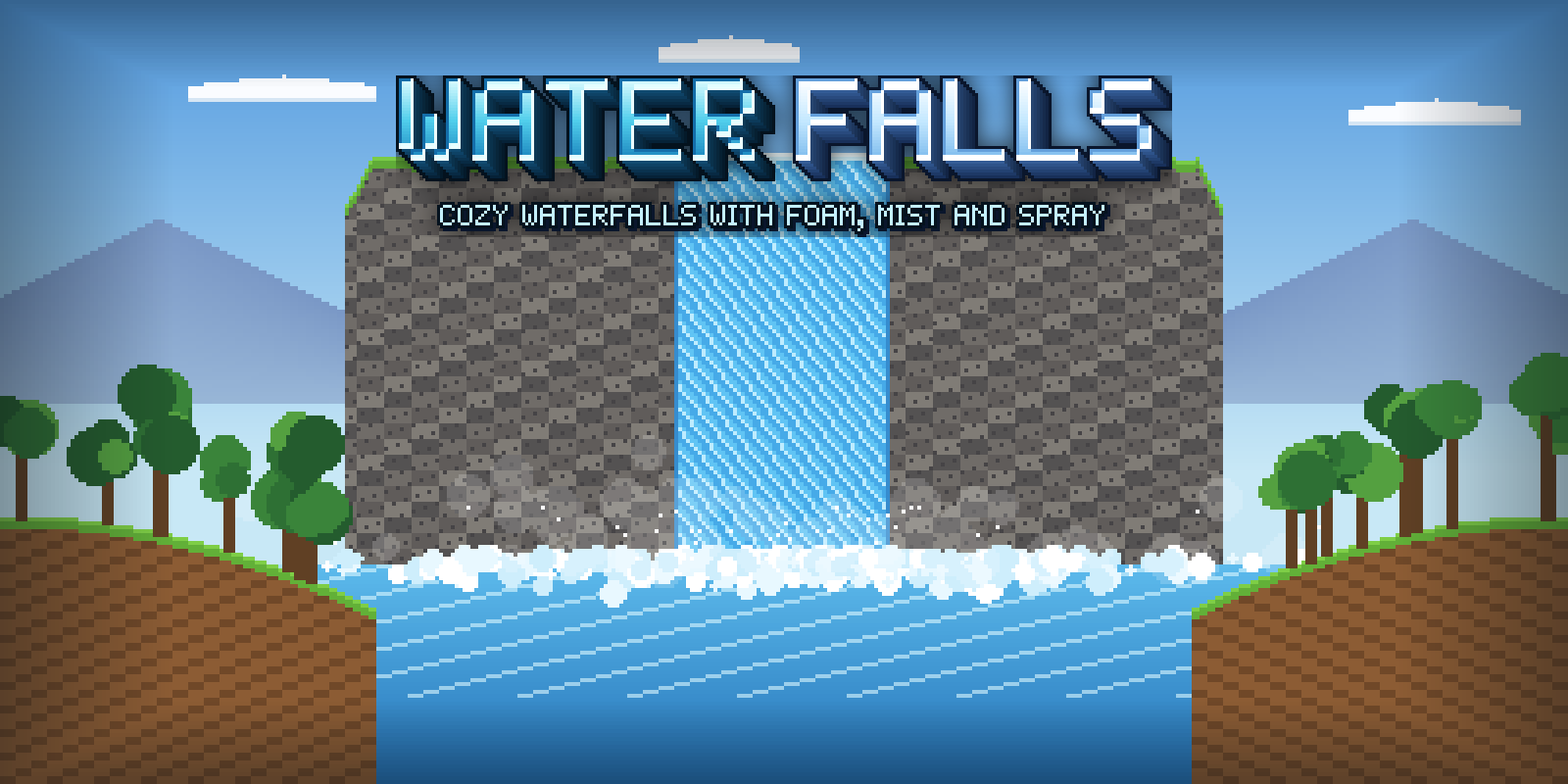
mods folder and start the server. Nothing is needed on the players' side./wf scan (searches 32 blocks around you)./wf admin to switch the effects, pick a style and change any setting in game./waterfallsfx low or turn them off with /waterfallsfx off.A waterfall is falling water at least 2 blocks tall with open air beside it. The mod follows it down to where it lands and puts the effects on the open sides of the landing, at the water's surface. Several tiers in one column are all found. Wide waterfalls splash along their whole width.
White foam puffs pop up right where the fall lands, on the water or on the ground.
Flat rings spread over the pool. Only when the fall lands in a pool.
Soft mist drifts over the landing. Medium and large waterfalls only.
Droplets jump up at the impact.
A calm rushing sound for players within 28 blocks. Wider waterfalls sound a bit louder. Large waterfalls also get a quiet nature ambience.
Falling lava is found the same way. It gets the game's own lava splash and a lava rumble instead of the water effects.
| Size | Height of the fall | Effects |
|---|---|---|
| Small | under 5 blocks | Foam, ripples, spray |
| Medium | 5 to 11 blocks | Foam, ripples, spray, mist |
| Large | 12 blocks and more | Foam, ripples, spray, mist, nature ambience |
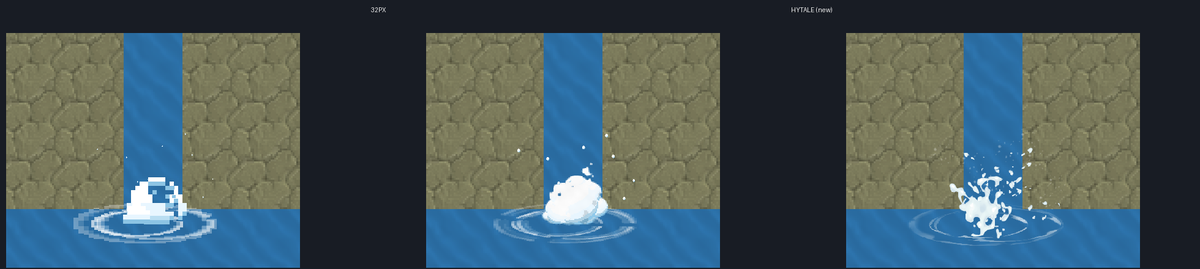
The foam, ripples and spray come in three looks. All three are always loaded, so switching applies at the next refresh with no restart. Admins switch it on the Overview tab of /wf admin, and the new style plays right in front of them as a preview.
Everything is sent from the server as particles, and every player at a waterfall sees the same effects. The search for waterfalls shares one budget per world, so many players exploring at once do not slow the world down. Chunks with no flowing water are searched again only every 30 minutes; chunks where the water changes are checked again quickly.
/waterfallsfx (alias /wffx) sets each player's own level: Full, Low (half the distance, a third of the waterfalls, foam and mist only, sounds stay) or Off. It is saved on the server and kept after restarts.Every setting is in settings.json and on the Settings tab of /wf admin. Values are clamped to safe ranges. Changes apply without a restart; /wf reload reads the file again.
| Setting | Default | What it does |
|---|---|---|
enabled | true | Waterfall effects on or off. |
style | 0 | 0 = Cozy, 1 = 32px, 2 = Hytale. |
foam / mist / spray / ripples | true | Turn each effect part on or off. |
lavafalls | true | Splash and rumble on falling lava. |
sounds | true | Rushing water sound. |
soundDistance | 28 | Players this close hear a waterfall (blocks). |
soundVolume | 1.0 | Volume multiplier (0 to 2). |
natureAmbience | true | Quiet nature sound under large waterfalls. |
radius | 48 | Waterfalls are looked for this far around each player (blocks). |
minFallHeight | 2 | Falling water must be at least this tall to count. |
viewDistance | 56 | Players this close see a waterfall's effects (blocks). |
lodDistance | 28 | Farther players get foam and mist only (0 = everyone gets everything). |
maxFallsPerPlayer | 12 | Effects of at most this many waterfalls per player. |
hideRadius | 8 | Default radius of /wf hide (blocks). |
lagGuard | true | Fewer effects and searches while the world is lagging. |
worlds | default | Worlds the effects run in. default is the main world; an empty list means every world. |
updateCheck | true | Look for a new version on CurseForge after the server starts. |
| Command | What it does | Permission |
|---|---|---|
| Admin panel: every tool and setting in one place | waterfalls.admin | |
| Whether waterfalls run in this world, how many are known and hidden | waterfalls.admin | |
| Turn the effects on or off in this world (until restart) | waterfalls.admin | |
| Find every waterfall within 32 blocks right away | waterfalls.admin | |
| No waterfall effects around you (default 8 blocks, saved) | waterfalls.admin | |
| Bring the waterfalls back where you stand | waterfalls.admin | |
| Show the effects 3 blocks in front of you | waterfalls.admin | |
| Forget the found waterfalls; they are found again | waterfalls.admin | |
| What the mod knows about the nearest waterfall (details in the server log) | waterfalls.admin | |
| Debug log on or off | waterfalls.admin | |
| Reload settings.json | waterfalls.admin | |
| Your own effect level; without an argument opens a small menu (alias /wffx) | every player |
No. The mod runs on the server and the effects use assets the client downloads from it.
The fall must be at least 2 blocks of falling water with open air beside it. New waterfalls are noticed after a short while; /wf scan finds them at once.
Stand there and run /wf hide (optionally with a radius). It is saved across restarts. /wf unhide brings them back.
By default the effects run only in the main world. Tick more worlds on the Worlds tab of /wf admin, instances like dungeons included.
Use /waterfallsfx low or /waterfallsfx off. It only changes what you see; other players keep their own setting.