Orebound Freighter
Ores and tools: copper, iron, cobalt, silver and adamantite bars and ores, iron studs and pickaxes.
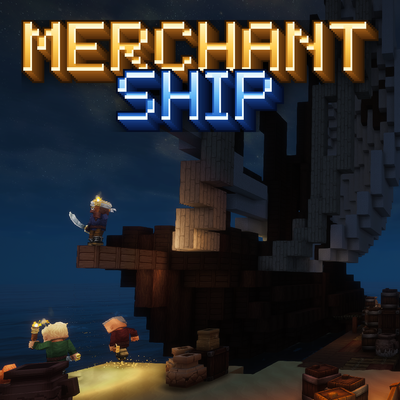
mods / merchantship
Merchant freighters dock at coastal ports, and players can claim their own port and trade across the sea.
MerchantShip builds a medieval port on a palm coast and sends merchant freighters to it. Each ship docks with a deck trader, crew and guards, sells and buys goods, then casts off and sails away.
Players can also claim an abandoned port, run their own merchant ship and trade with other players or with system ports across the sea. The money is the Merchant Coin.
/mship admin/port/mship tp to go to the nearest one./port) and send your ship on a voyage. Collect your earnings from the Safe tab when it is home./port guide hides or shows it.Each merchant port has two berths. A docked freighter stays a while, opens a market tent next to the pier, then casts off and sails away. A port rotates: after two hours it leaves and a new site is searched later.
Ores and tools: copper, iron, cobalt, silver and adamantite bars and ores, iron studs and pickaxes.
Explosives: explosive barrels, boom powder, charcoal, fire and lightning essence, iron arrows.
Leather and food: bread, kebabs, pies, grilled fish, raw meat, hides, leather straps and leather armour. Also sells the Port Charter, Notice Board and Guard Post.
Potions: health potions of every size, antidote, mana, purify, empty bottles, life essence and venom sacs.
/port invite. Each member gets rights: Build, Trade (deposit, offers, voyages) and Withdraw (safe, hold, warehouse).A player port has four levels. Upgrades are paid in Merchant Coins from the port safe plus building materials. Each level makes the hold bigger, adds offers, shortens voyages and lowers the pirate risk.
| Level | Cost | Materials | Unlocks |
|---|---|---|---|
| 1 | - | - | 27 hold stacks, 12 sell and 8 buy offers. |
| 2 | 500 coins | 64 hardwood planks, 16 iron bars, 16 white wool | 36 hold stacks, +4 sell / +2 buy offers, voyages at 85 % time, raid risk 85 %, second berth kept free for other players' ships. |
| 3 | 1500 coins | 128 hardwood planks, 16 cobalt bars, 24 leather straps, 32 white wool | 54 hold stacks, +8 sell / +4 buy offers, voyages at 70 % time, raid risk 70 %, warehouse, captain's autopilot. |
| 4 | 4000 coins | 256 hardwood planks, 32 cobalt bars, 48 leather straps, 64 white wool | 72 hold stacks, +12 sell / +6 buy offers, voyages at 60 % time, raid risk 55 %, flagship hull, free building of the whole port, port menu from anywhere. |
Guards the piers and gates of a port.
Guards the port with a bow.
Watches the sea with a spyglass and blows a horn when a freighter sails in.
Guards the deck of a docked ship.
Guards the deck with a bow.

The coin of merchant ships and player ports. Found in chests (35 % of loot chests by default), minted at a Workbench, or exchanged for StructureV2 coins at a Notice Board.

Place it inside an abandoned port to claim it. The owner can break it to give the port up. Press F on it for the port menu.

Lists every port offer, trade orders, contracts and the ranking. One is placed next to the charter of each claimed port.

Hire and equip the guards of your port.

Place it in your port and ring it (F) to see every berth and send away ships you do not want.

A ship's wheel for your ships and docks. Use (F) to give it a turn.
Every setting is in /mship admin, one category at a time, with a short explanation under each and a search box. These are the main defaults.
| Setting | Default | What it does |
|---|---|---|
| Ports per world | 1 | Merchant ports in one world. |
| Distance between ports | 512 | Blocks between two merchant ports. |
| Port rotation | On, 7200 s | A port leaves after its lifetime; a new site is searched after 1800 s. |
| Ship arrival | 300-900 s | Time between ship arrivals. |
| Ship stay | 600-1800 s | How long a ship stays docked. |
| Build protection | On | No building inside a port (creative players can bypass). |
| Storms stop arrivals | On | No arrivals during storms. |
| Abandoned ports | On, 2 per world | Claimable ruins on the coast. |
| Land size (chunks) | 5 | Side of the protected square around a claimed port. |
| Members per port | 16 | Most members of one port. |
| First ship delay (s) | 120 | Time after a claim until your ship arrives. |
| Voyage length (min) | 30 | Total time of a voyage. |
| Port tax max (%) | 10 | Highest tax an owner can set. |
| Pirate raids | On, 6 % | Base raid chance per voyage leg. |
| Escort fee | 50 | Coins per escorted departure. |
| Bandit ambush | Off | MoreBandits party with a raided ship. |
| System ports | On, 12 | Ports that exist only on the sea charts. |
| Chest coin chance (%) | 35 | Chance that a loot chest holds 2 to 8 Merchant Coins. |
| Merchant Coins per StructureV2 coin | 5 | Exchange rate at the notice board. |
| Check for updates at start | On | Tells operators when a newer version is on CurseForge. |
| Command | What it does | Permission |
|---|---|---|
| Open the admin panel: settings, ports, player ports and a guide. | merchantship.admin | |
| Open your port menu. From anywhere only at port level 4, otherwise press F on the Port Charter. | merchantship.ports.use | |
| Manage the members of your port. | merchantship.ports.use | |
| Answer an invite or leave a port. | merchantship.ports.use | |
| Send your ship, collect returned goods, list all ports. | merchantship.ports.use | |
Show or hide the port guide. /port guide pos <corner> moves it. | merchantship.ports.use |
On a palm coast with open ocean, in the worlds where the mod is turned on (the main world by default). Only one merchant port exists per world by default, and it moves after its lifetime ends.
No. System ports on the sea charts buy your goods and sell into your buy offers, so a player port works alone in singleplayer.
Find them in loot chests, mint 10 from one gold bar at a Workbench, sell goods from your ship, or exchange StructureV2 coins at a Notice Board.
The claimed land is protected. Only members with the Build right can build there, and explosions cannot break blocks of protected ports or claims.
No. Worlds that used an older MerchantShip version keep their ports and saves.